
“We have 12,000+ calculated shipping listings.”
That seller had one worry: what happens when shipping prices change? Charge too little, and you pay the difference. Charge too much, and buyers go elsewhere.
The eBay shipping calculator helps you get the price right. It works out shipping for each buyer, based on where they live and what you’re sending.
This guide is your shipping calculator for eBay explained. You’ll learn when to use flat or calculated shipping, how to measure a box, and how to compare USPS, UPS and FedEx. Then you’ll see how to set shipping on hundreds of listings at once.
With calculated shipping, eBay works out each buyer’s shipping cost from their location. It uses the package details you enter: package type, weight, size and your ZIP code. Use eBay’s shipping calculator (ebay.com/shp/Calculator) to check prices before you list. To set shipping on many listings, put it in a shipping policy and apply that policy to all of them.
Flat vs calculated shipping: which to use
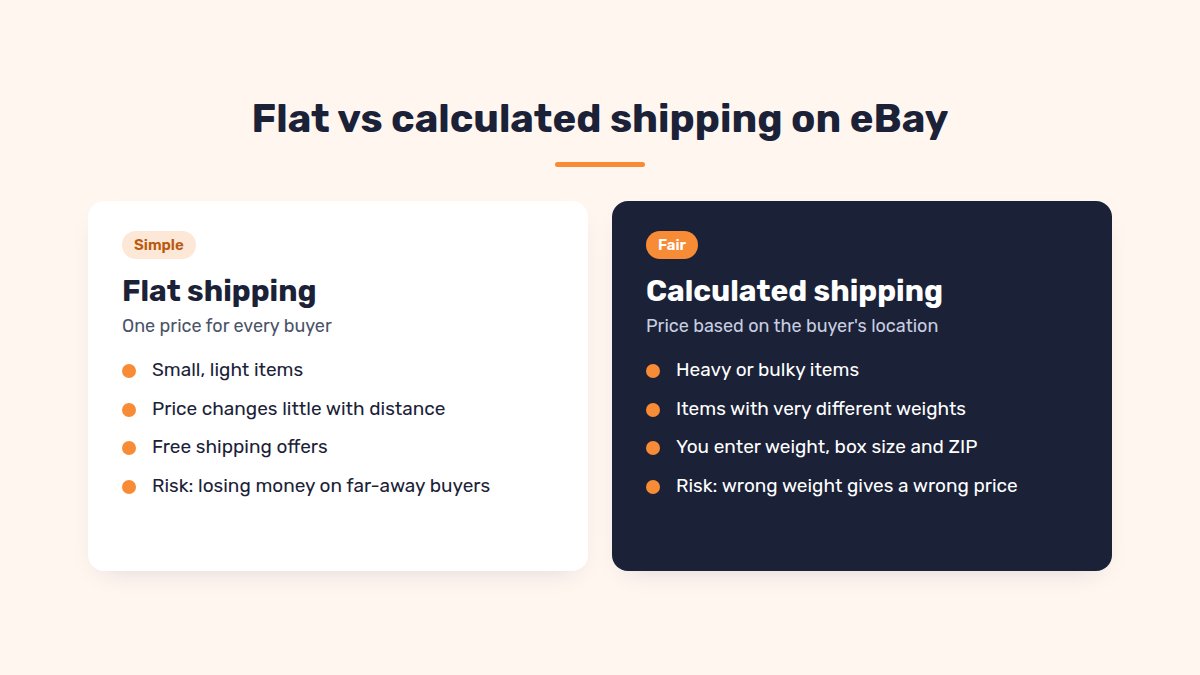
eBay gives you two main ways to charge for shipping.
| Flat shipping | Calculated shipping | |
|---|---|---|
| What the buyer pays | The same price everywhere | A price based on the buyer’s location |
| What you enter | One shipping price | Package type, weight, size, your ZIP code |
| Best for | Small, light items; free shipping | Heavy or bulky items; items with very different weights |
| Main risk | Losing money on far-away buyers | Wrong weight or size gives a wrong price |
Flat shipping is simple. It works well for small, light items, where the price changes little from coast to coast.
Calculated shipping is fairer for heavy items. A 15 lb box costs much more to ship across the country than across town. With calculated shipping, the buyer pays the real difference.
You can also offer free shipping. You still pay the carrier, so build that cost into your item price.
How eBay calculates shipping costs
eBay takes the package details you enter. Then it works out the price for each buyer’s location and the services you offer.
To set up calculated shipping on a listing:
- In the shipping section, choose Calculated: Cost varies by buyer location.
- Next to Services, select Calculate shipping.
- Under Package details, enter the package type, size and weight.
- Under Your details, enter your ZIP code and any handling cost.
- Select Calculate shipping to see the prices.
- Choose the services you want to offer, and drag them into order.
- Select Offer shipping services, then finish your listing.
Check prices before you list. eBay’s free shipping calculator shows what a package would cost to send to different places.
Handling cost is an extra charge for boxes, tape and packing. The buyer sees it as part of the shipping price. Keep it small and honest.
Selling abroad? eBay recommends eBay International Shipping for international buyers. For eligible sellers it becomes the default international option.
Weights, dimensions and handling time
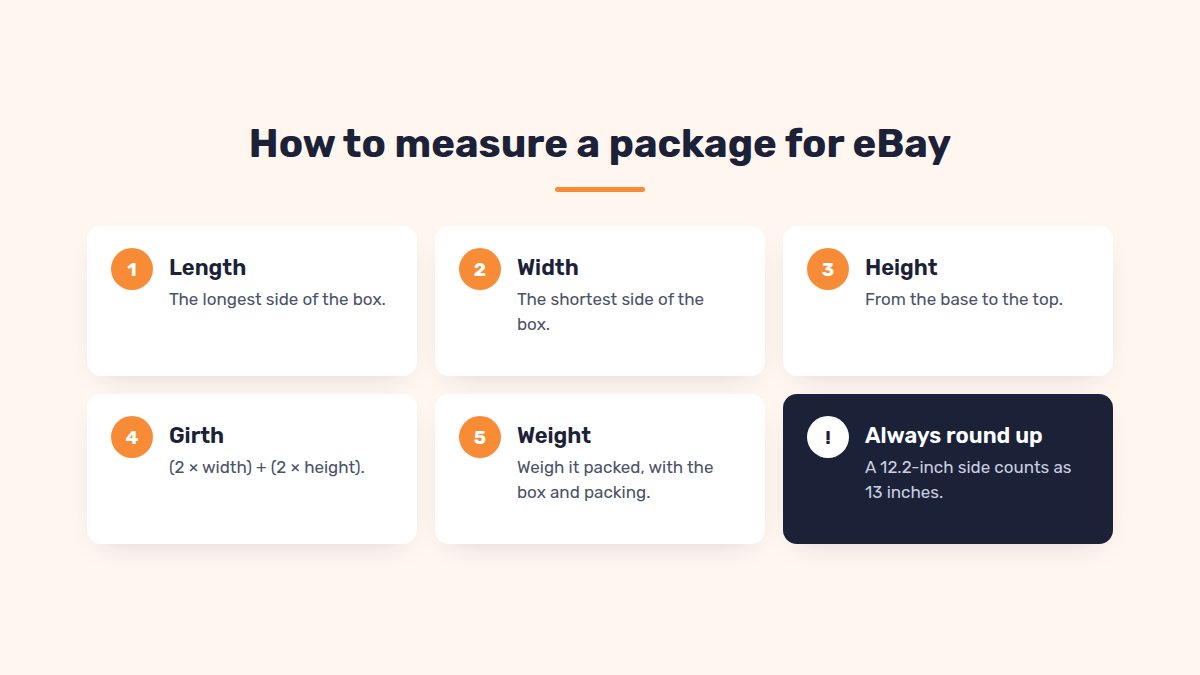
A wrong weight or size gives a wrong price. So measure every box the same way.
eBay’s measuring rules:
- Length is the longest side.
- Width is the shortest side.
- Height is from the base to the top.
- Girth is the distance around the box: (2 × width) + (2 × height).
- Weight is what the scale shows, with the packing inside.
- Round every side up to the next whole inch. A 12.2-inch side counts as 13 inches.
- Round the weight up to the carrier’s next step: ounces for light parcels under 1 lb, then whole pounds.
Watch out for DIM weight. DIM weight is the box size turned into a weight. You multiply length × width × height, then divide by the carrier’s number. When a box is big enough for DIM pricing, the carrier charges whichever is higher: the real weight or the DIM weight.
USPS changed this in July 2026. Since July 12, 2026, USPS divides by 139 instead of 166 for parcels over 1 cubic foot. That’s the same number UPS and FedEx use. Smaller USPS boxes are still priced by weight. But big, light boxes now cost more with USPS too.
Example: a 16 × 12 × 12 inch box holds a 4 lb item.
- Size: 16 × 12 × 12 = 2,304 cubic inches. That’s over 1 cubic foot (1,728).
- DIM weight: 2,304 ÷ 139 = 16.6, which rounds up to 17 lb.
- You pay for 17 lb, not 4 lb. A smaller box fixes it.
Handling time is how many business days you need to ship after payment. It doesn’t change the price. But it lives in the same shipping settings, so check it while you’re there.
USPS vs UPS vs FedEx on eBay
There’s no single cheapest carrier. It depends on the weight, the box size and the distance.
| USPS Ground Advantage | UPS Ground | FedEx Ground | |
|---|---|---|---|
| Often good for | Small, light packages | Heavier boxes | Heavier boxes |
| Weight limit | 70 lb | 150 lb | 150 lb |
| Size limit | 130 inches length + girth | 165 inches length + girth | 165 inches length + girth |
A simple way to choose:
- Weigh and measure your packed item.
- Put the numbers into eBay’s shipping calculator.
- Compare the USPS, UPS and FedEx prices for a near and a far ZIP code.
- Offer the one or two services that give buyers the best price and speed.
You can buy labels for USPS, UPS and FedEx through eBay. Check prices again every few months, because carriers change rates during the year.
Avoid undercharging: common mistakes
- Guessing the weight. Weigh the packed item, not just the item. Then round up.
- Forgetting the box size. A big, light box can cost three or four times more than its weight suggests.
- Ticking “irregular package” by mistake. Carriers charge extra for tubes, bags and items not fully in a box. Some sellers saw prices jump by several dollars after a box was ticked by accident. Untick it if you ship in a normal box.
- Copying an old listing. “Sell one like this” can copy old weights and settings. Check them each time.
- Wrong details on the label. If the carrier measures your package and finds a different size or weight, eBay charges you the difference later.
- Very heavy or oversized boxes. USPS charges a large fee for parcels over 70 lb or over 130 inches length + girth. Use UPS, FedEx or freight instead.
Setting shipping on many listings at once
Changing shipping one listing at a time is slow. One seller put it simply:
“bulk editing is just not possible.”
The fix is a shipping policy. A shipping policy is a saved set of shipping options: services, costs and handling time. You attach it to your listings. When you edit the policy, every listing using it updates. Our guide to eBay business policies shows how to set them up.
A good setup for calculated shipping:
- Create one shipping policy per type of box, such as “Calculated · small box” and “Calculated · large box”.
- Make sure each listing has the right weight and size. These sit on the listing, not in the policy.
- Apply the right policy to each group of listings.
To change weights or policies in bulk on eBay:
- Seller Hub bulk edit: select your listings, then choose Edit. You can change the shipping policy and the package details. Sellers report it doesn’t show the current values, so check a few listings afterwards.
- Seller Hub Reports upload: download your listings as a file and change them there. If your policy uses calculated shipping, the file also needs the weight and size columns. Getting errors? See our guide to eBay CSV upload errors.
You still create your shipping policies on eBay. In SellSetGo, you filter your listings by eBay category, price, quantity or current shipping policy. Select them all, then apply the new shipping policy in one step. It works the same for 50 listings or thousands.
FAQ
Is eBay’s shipping calculator free?+
Yes. It’s a free page on eBay. Enter the package details and a ZIP code to see the prices.
Should I use flat or calculated shipping on eBay?+
Use flat shipping for small, light items. Use calculated shipping for heavy or bulky items, where the price changes a lot with distance.
Why does eBay show a higher shipping price than USPS.com?+
Check three things: the “irregular package” box, your handling cost, and your box size. Rounding up and DIM weight can also raise the price.
Can I change calculated shipping on all my listings at once?+
Yes. Edit the shipping policy your listings use, and every listing updates. To move listings to a different policy, use Seller Hub bulk edit, a Reports upload or a tool like SellSetGo.
Do I need the box size for calculated shipping?+
Yes. eBay asks for package size and weight to work out the price. Without the right size, buyers may see the wrong price.
Conclusion
Calculated shipping charges each buyer a fair price, as long as your weights and sizes are right.
Weigh and measure every box, and round up. Check prices in eBay’s shipping calculator. Put your shipping in policies, so one change updates every listing.
Changing shipping on hundreds of listings?
SellSetGo lets you filter your eBay listings and apply a shipping policy to all of them in one step, even across thousands of listings.
Start your 15-day free trialBook a free demo