
How to Increase Your eBay Sales by Enriching Your Listings (Step-by-Step Guide)
If your eBay sales are not growing, the problem is rarely “bad luck.”
It’s usually incomplete or under-optimized listings.
eBay’s Cassini search algorithm ranks listings based on data quality, completeness, relevance, and buyer experience signals. The more structured, rich, and optimized your listing data is, the higher your chances of ranking and converting.
Here’s a practical, step-by-step guide on how to increase your eBay sales by enriching every critical part of your listing and how SellSetGo makes it effortless.
1. Optimize Your eBay Title (Use All 80 Characters Wisely)
eBay allows 80 characters in the title.
That space should never be wasted.
Your title should:
- Include primary keywords buyers search for
- Contain brand, model, compatibility, size, condition where relevant
- Avoid unnecessary filler words
- Be keyword-rich but readable
The title is one of the most heavily indexed fields in eBay search.
If your title is weak, your visibility suffers.
SellSetGo Advantage
If you struggle to craft high-performing titles:
- Click the AI Title button in SellSetGo.
- It analyzes your product image, eBay category, item specifics, and description.
- It generates optimized, keyword-rich titles up to 80 characters.
- Designed specifically for search visibility.
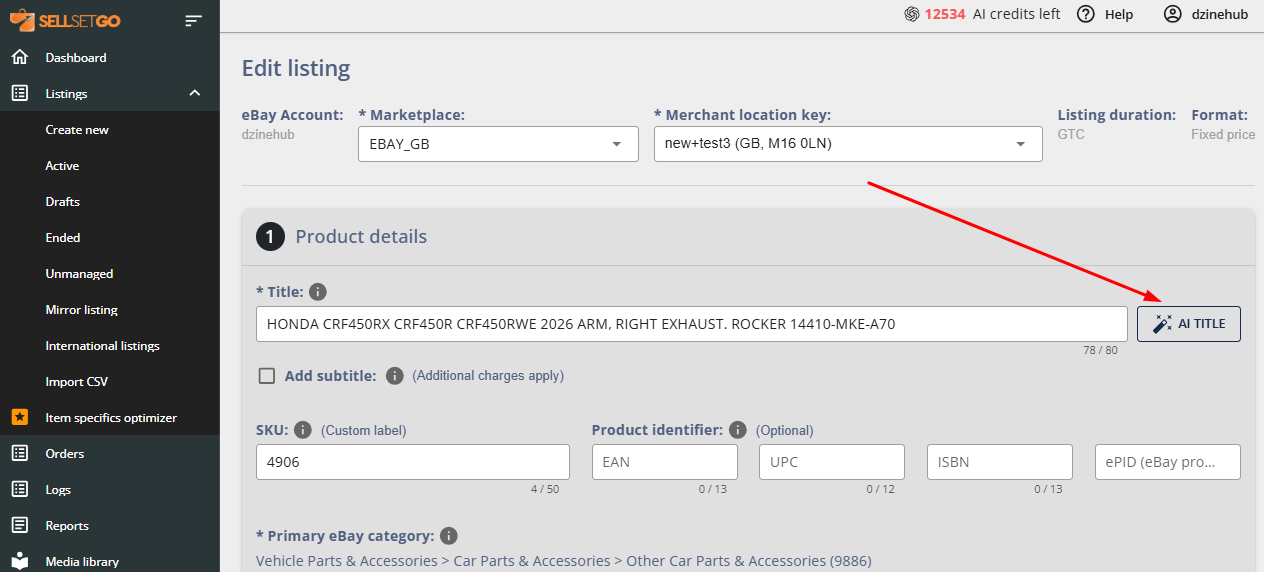
This removes guesswork and ensures your titles are fully optimized in seconds.
2. Choose the Most Relevant eBay Category
eBay category selection affects:
- Search visibility
- Item specifics requirements
- Buyer targeting
- Fee structure
Choosing the wrong category can drastically reduce eBay search result impressions.
Always select the most relevant, high-traffic eBay category for your product.
SellSetGo Advantage
SellSetGo’s AI eBay category suggest tool helps you:
- Automatically suggest the most relevant eBay category
- Speed up category selection
- Reduce miscategorization errors
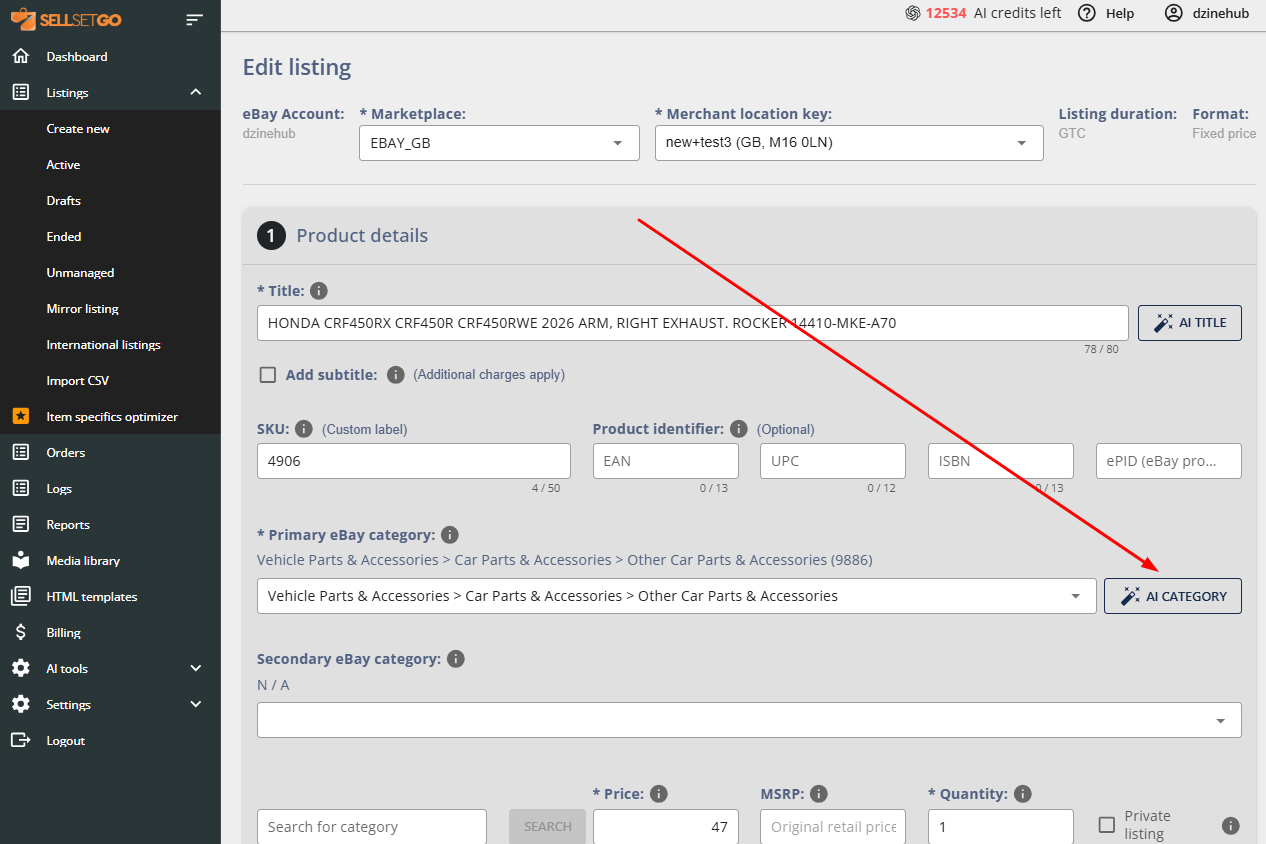
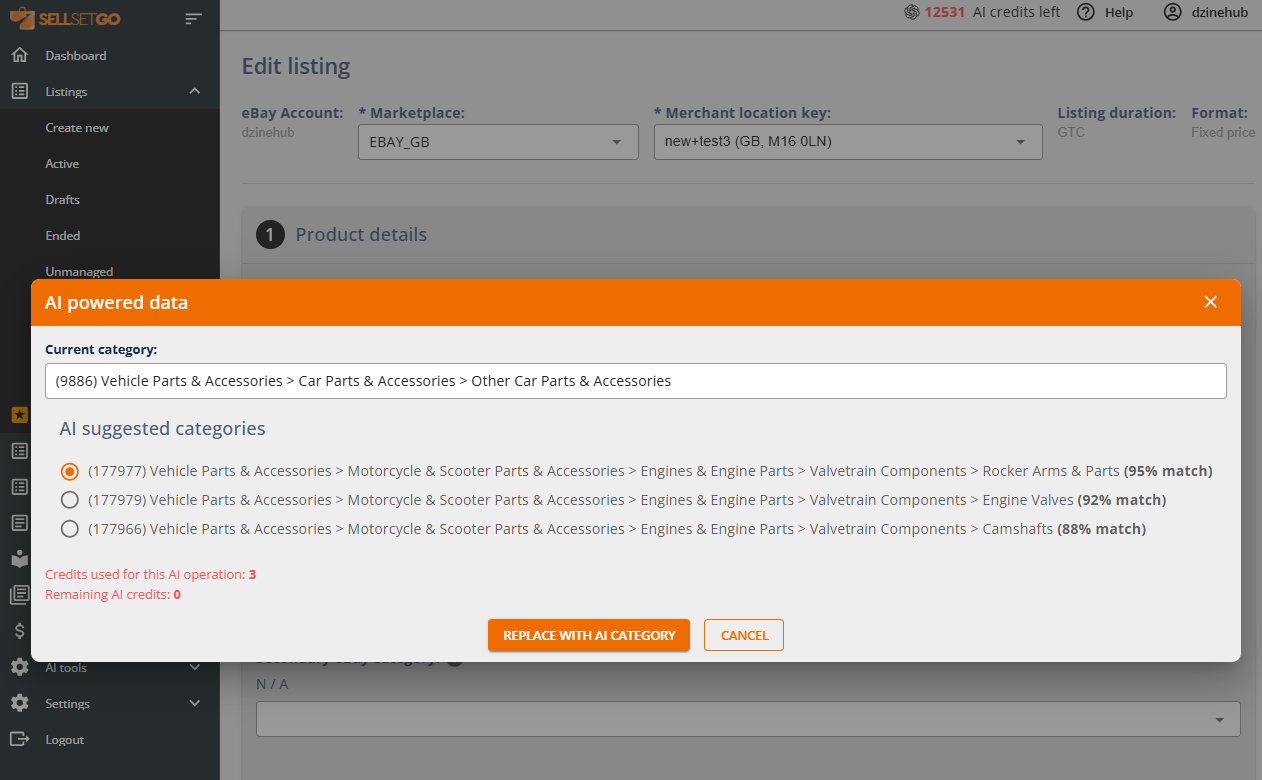
Instead of manually browsing through category trees, you get intelligent suggestions — faster and more accurate.
3. Set a Competitive Price (Research Matters)
Pricing impacts:
- Click-through rate
- Conversion rate
- Cassini ranking signals
Always:
- Research competitors
- Research product pricing on various tools in the market like zik, terapeak, etc.,
- Avoid pricing too high without justification
- Avoid pricing too low without profit strategy
Pricing is a strategic decision that should be data-driven.
4. Fill Out Item Specifics — The Most Underrated Ranking Factor
Item specifics are indexed by eBay’s search engine.
The more relevant specifics you complete:
- The more searchable your listing becomes
- The more filters you appear in
- The more visibility you gain
General rule:
Fill out as many item specifics as possible.
Incomplete listings = lower visibility.
SellSetGo Advantage
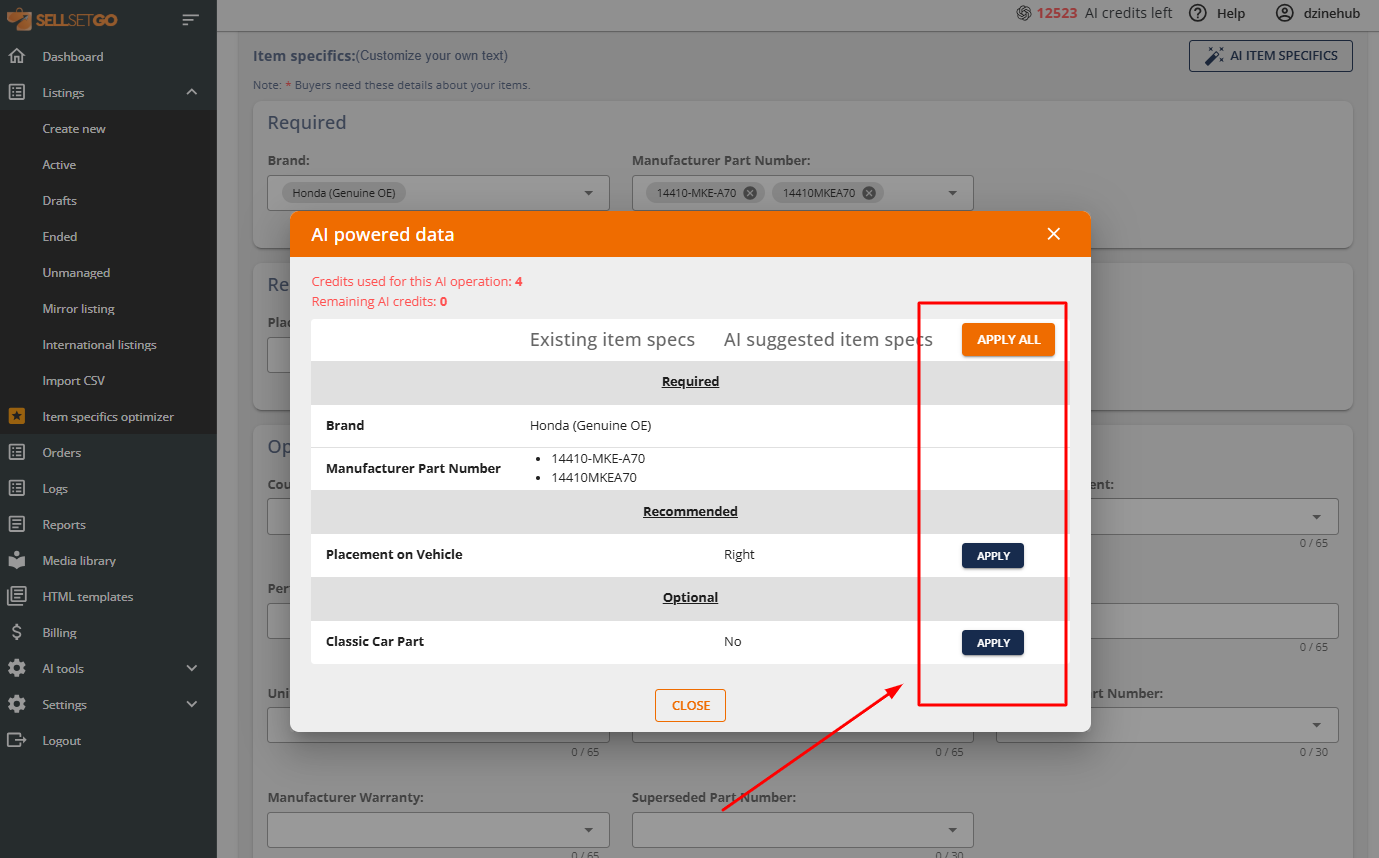
SellSetGo includes an AI Item Specifics Generator.
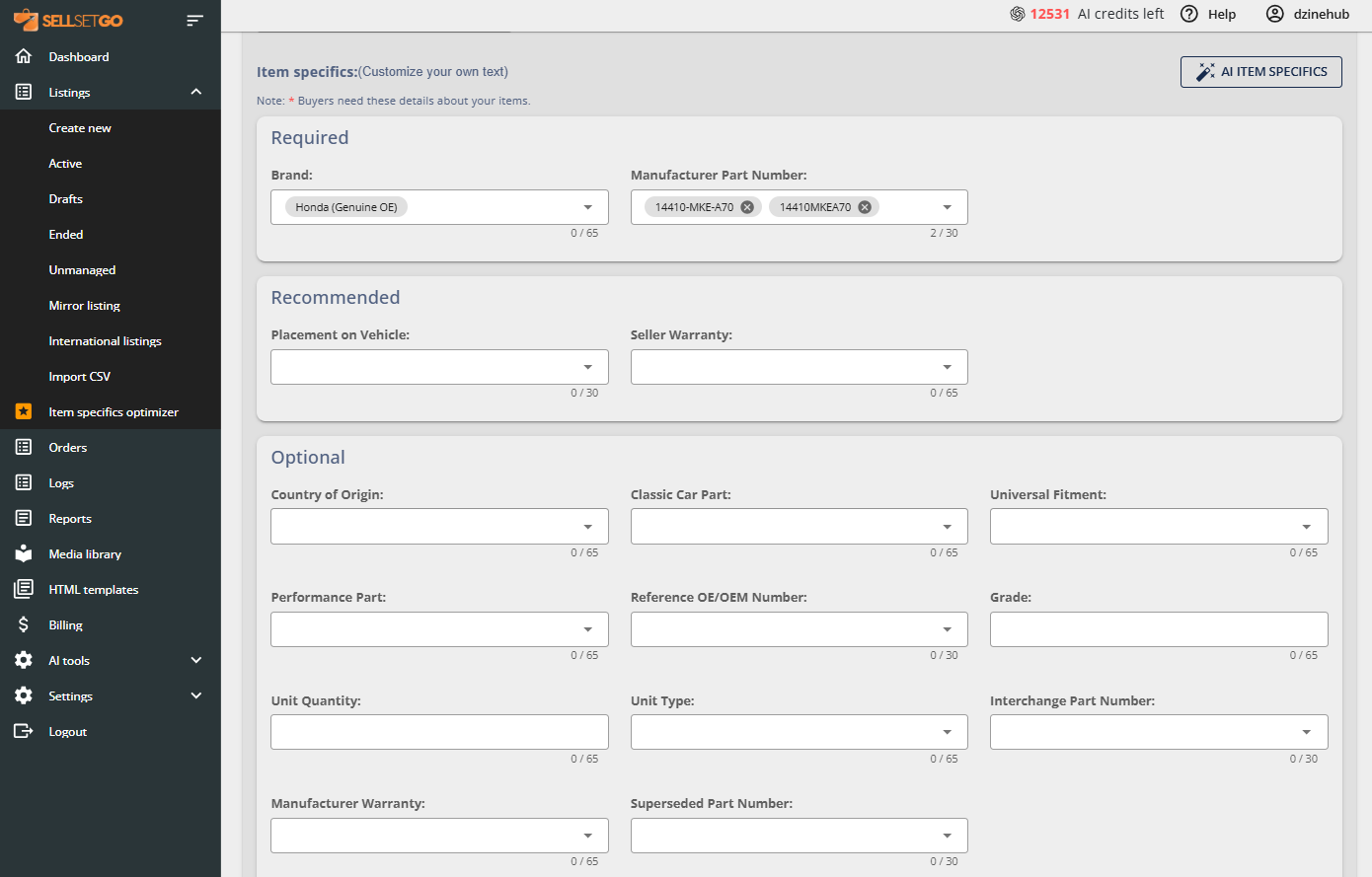
With one click:
- It analyzes your product image
- Reads your description
- Understands your eBay category
- Generates high-quality, relevant item specifics
- You can then apply all suggested specifics instantly.
Even better:
- You can bulk edit and optimize item specifics across hundreds of listings
- This maximizes visibility at scale
- Try the Item Specs Optimizer in SellSetGo
This is one of SellSetGo’s strongest listing visibility-boosting features.
5. Write a High-Converting Description
Your description should:
- Clearly explain what the product is
- Explain benefits and usage
- Include compatibility (if applicable)
- Reduce buyer confusion
- Build trust
- A weak description reduces conversions — even if your ranking is good.
SellSetGo Advantage
SellSetGo’s AI Description Generator:
- Creates professional, persuasive descriptions
- Incorporates item specifics
- Improves structure and readability
- Saves hours of writing time
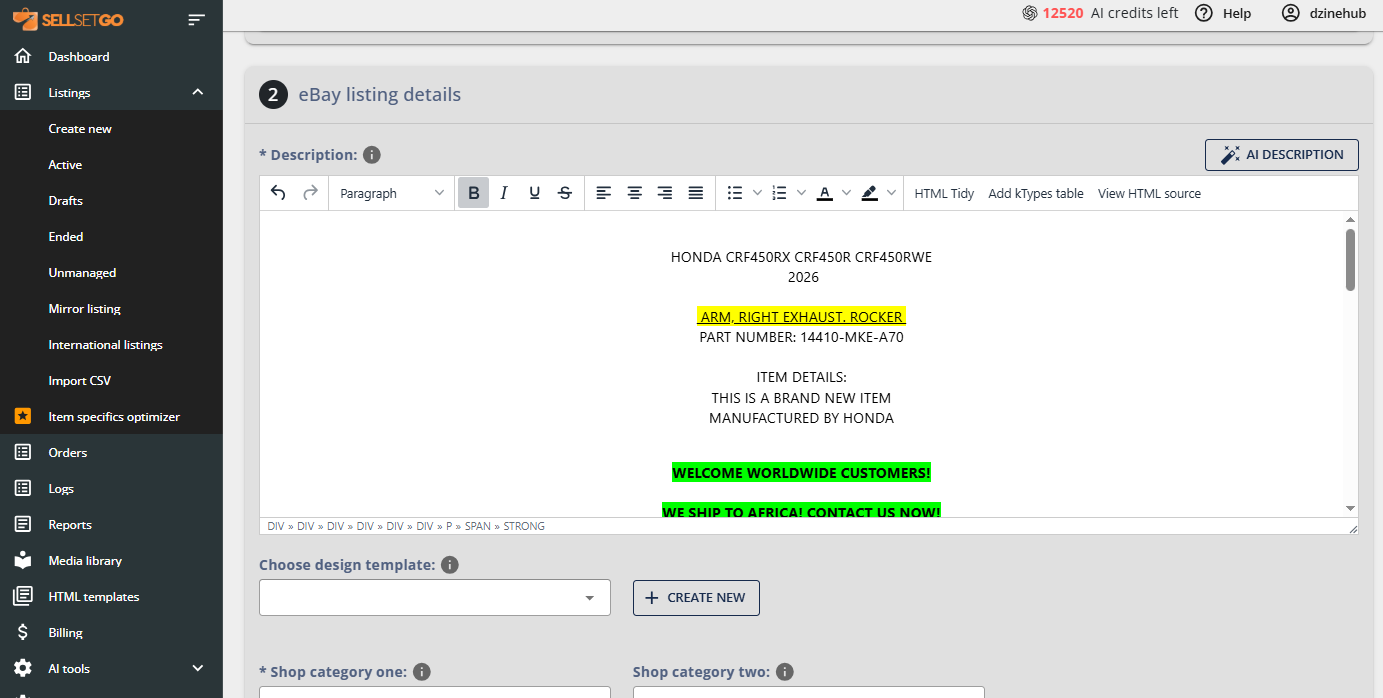
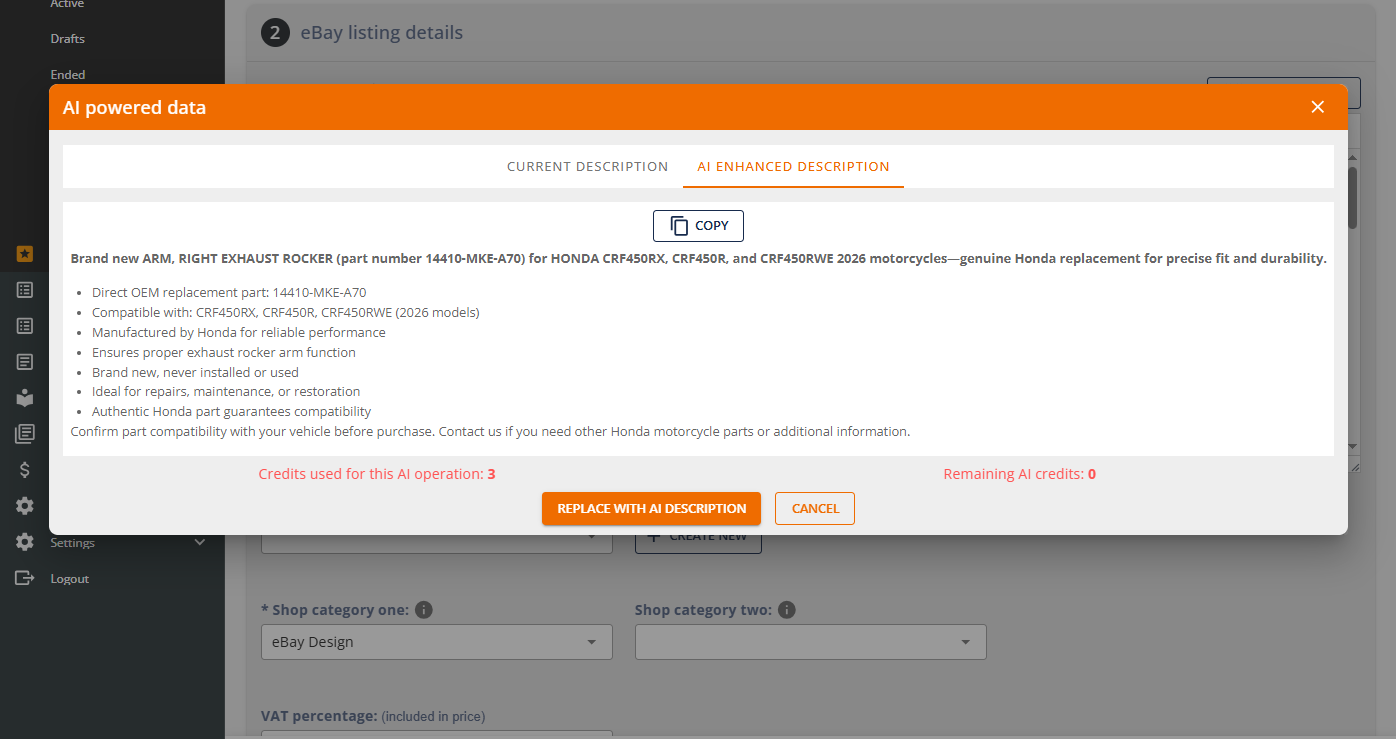
You get better conversion without extra effort.
6. Assign Shop Categories and Policies Properly
Good store organization:
- Improves buyer navigation
- Enhances trust
- Improves internal linking
Clear policies (shipping, returns, payment):
- Increase buyer confidence
- Reduce friction
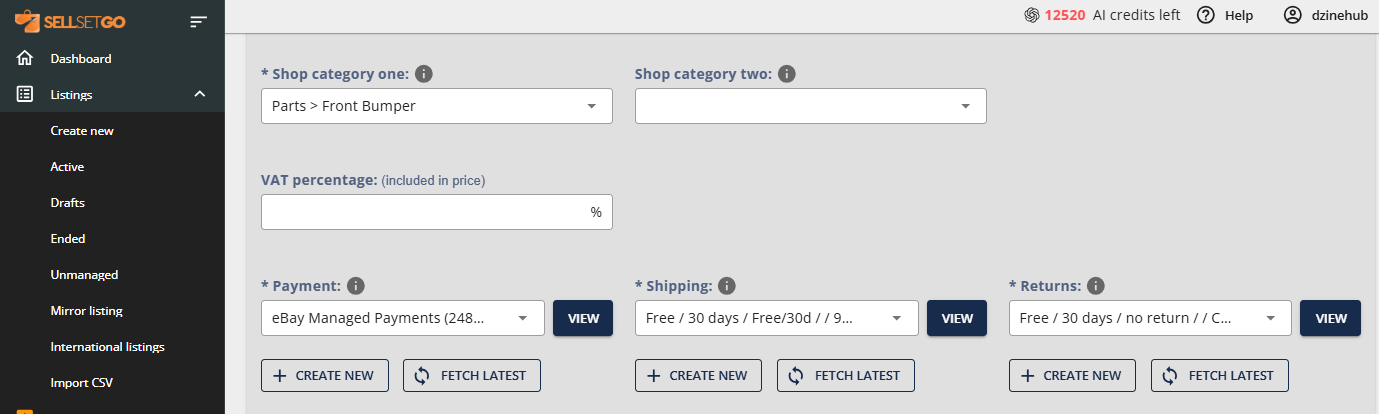
These elements support conversions.
7. Apply a Professional Design Template (Branding & Cross-Promotion)
This is where most sellers lose massive opportunity.
A well-designed listing template:
- Builds consistent branding
- Makes your store look professional
- Differentiates you from competitors
- Increases buyer trust
- But the real power lies in dynamic elements:
- Cross-promotion galleries (Related Items / New Arrivals)
- Dynamic pricing blocks
- Category navigation
- Branded headers and footers
These elements increase:
- Time on page
- Cross-sales
- Overall store revenue
SellSetGo Advantage
SellSetGo offers powerful HTML listing template control:
- Save unlimited custom HTML templates
- Dynamically apply templates across your entire inventory
- Automatically inject dynamic elements:
- Title
- Images
- Description
- Price
- Shop categories
- Cross-promotion galleries
- Modify global text (About, Shipping, Payment) across all listings instantly
- Bulk apply a template to hundreds of listings in seconds
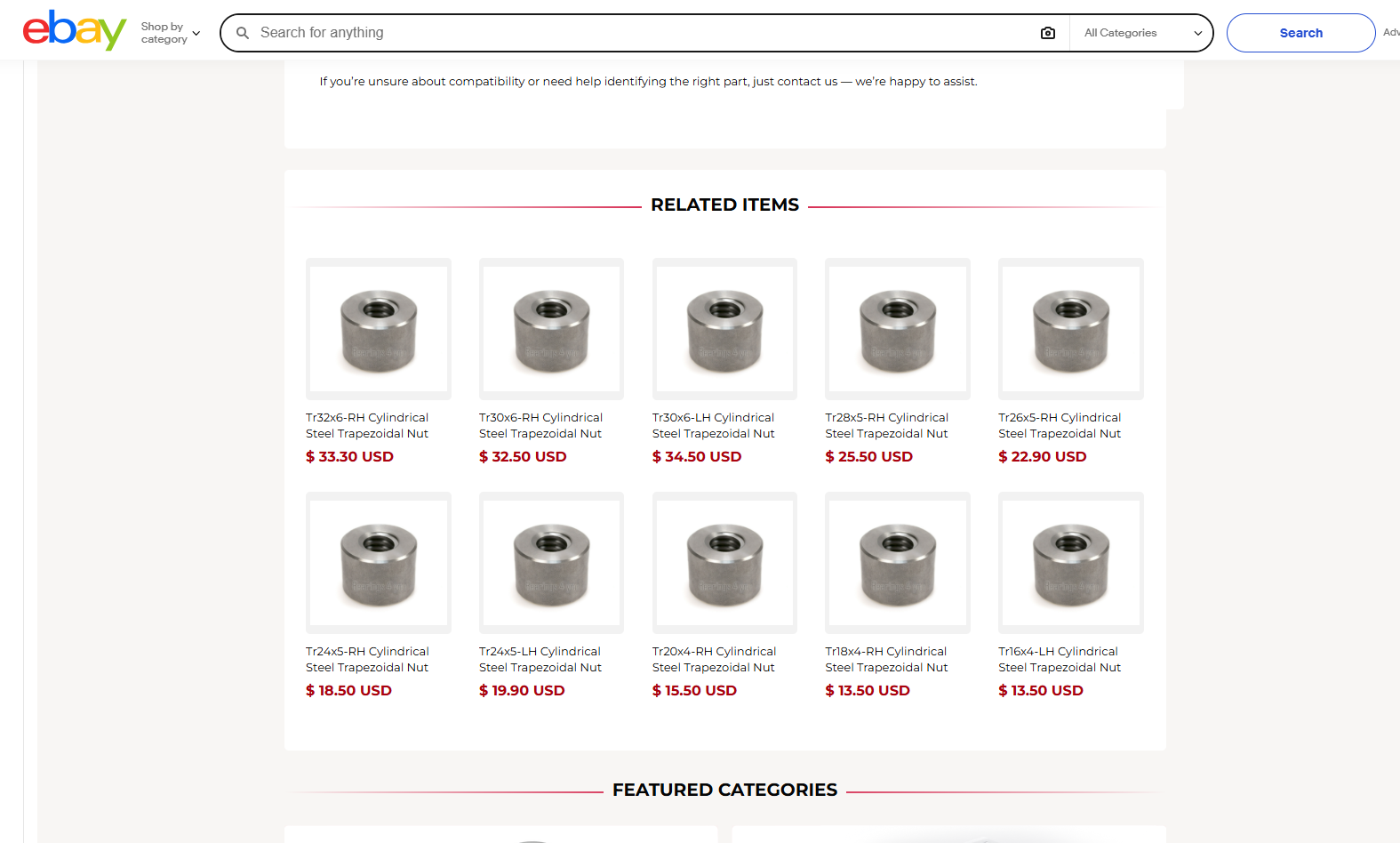
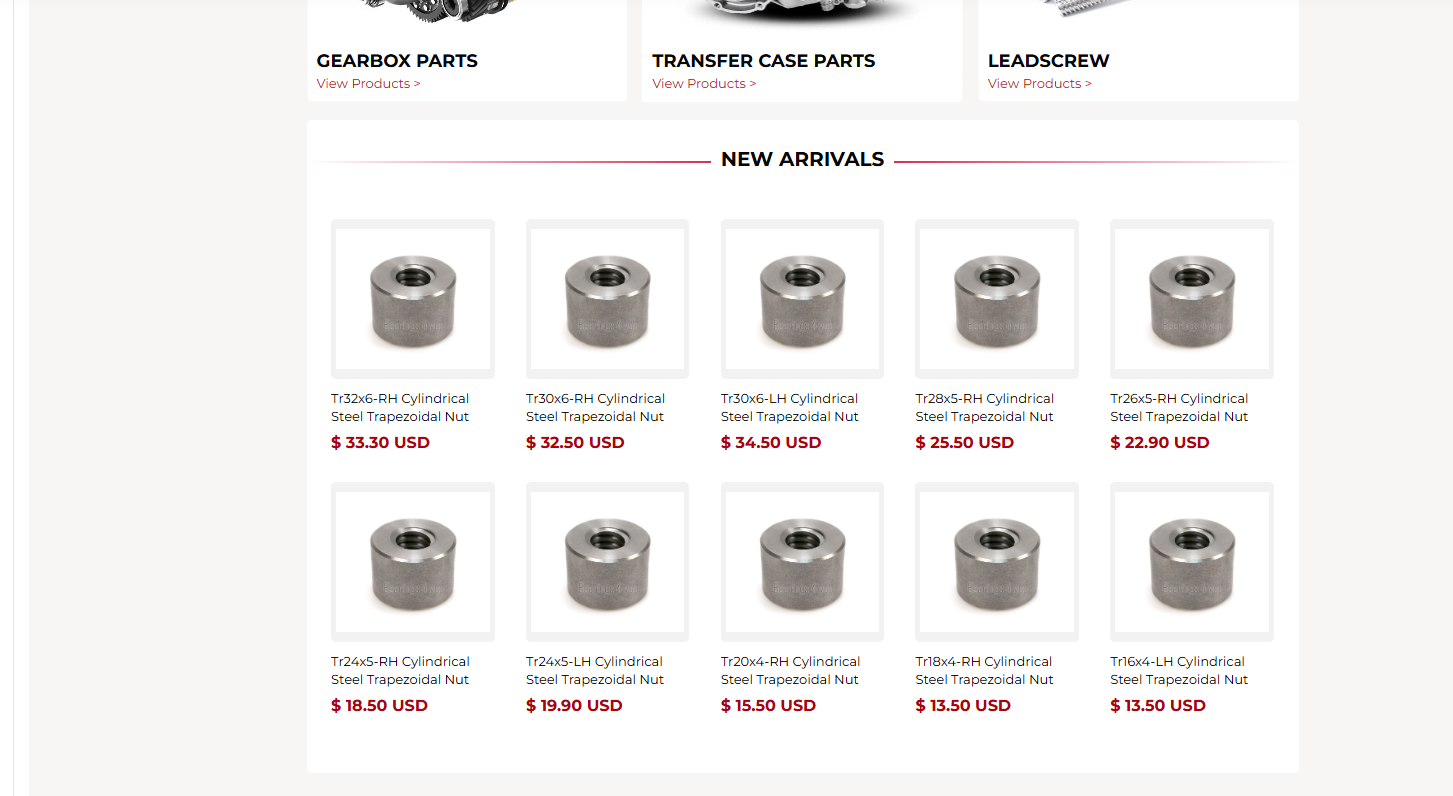
You can update 500+ listings in under 2 minutes.
No manual editing. No repetitive work.
Just consistent branding across your entire eBay business.
8. Work at Scale — Because Growth Requires Bulk Control
Manual listing editing kills productivity.
Serious sellers need:
- Bulk listing creation via CSV
- Bulk update live listings
- Save product data forever
- Backup listings instantly
- Save ended listings data
- Store order history permanently (eBay deletes after 90 days)
- Organize images into folders & sub-folders
- Clone listings instantly
- Automatically sync stock levels
- Multi-variation listings made simple
- These are not “nice to have” features.
They are growth infrastructure.
SellSetGo Advantage
SellSetGo was built for serious sellers:
- Lightning fast interface
- Bulk edit titles, SKUs, prices, quantities
- Bulk optimize item specifics
- Clone listings in seconds
- Pseudo stock (create urgency)
- Vehicle compatibility (K-Types) for auto parts sellers
- One-click backup
- Save everything — forever
SellSetGo acts as your permanent product data repository, protecting you from lost listings, deleted data, and platform limitations.
Final Thoughts: Data Quality = Sales Growth
If you want more eBay sales, don’t focus on luck.
Focus on:
- Better titles
- Correct categories
- Competitive pricing
- Complete item specifics
- Strong descriptions
- Professional templates
- Structured branding
- Bulk optimization
The sellers who win on eBay in 2025 are not the ones who list faster.
They are the ones who list smarter.
And SellSetGo gives you the infrastructure to do exactly that.
Ready to Scale Your eBay Sales?
Stop optimizing one listing at a time.
Start optimizing your entire store in minutes.
👉 Start your free trial of SellSetGo today and turn your listings into sales machines.