
“How do I add an MPN to handmade items?”
It’s one of the most common questions new eBay sellers ask. You’re listing an item, and eBay wants an MPN, an EAN and a brand. You’re not sure what they are, or what to type.
This guide explains what an MPN on eBay is (sometimes called an MPN number or MPN code), in plain words. You’ll learn what each code means, where to find it, and when “Does not apply” is fine. Then you’ll see how to add missing codes to many listings at once.
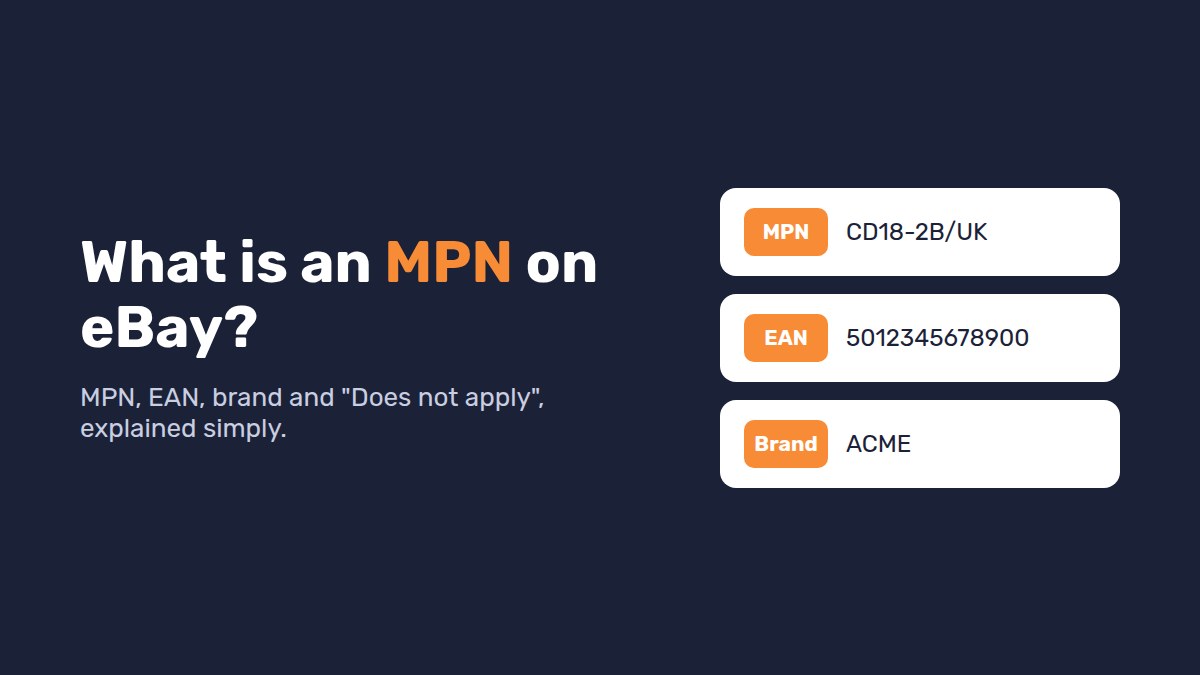
MPN means Manufacturer Part Number. It’s the code the maker gives one exact product, like “WH-1000XM5/B”. eBay uses it with the brand to match your item to the right product. If an item has no MPN, such as an antique or a handmade piece, choose “Does not apply”. If the box shows a number, use it.
What does MPN mean on eBay? MPN, EAN, UPC and ISBN explained
eBay calls these codes product identifiers. The manufacturer creates them, not eBay. They work like a name tag that tells eBay exactly which product you’re selling.
| Code | What it means | What it looks like | Where you’ll see it |
|---|---|---|---|
| MPN | Manufacturer Part Number | Letters and numbers, e.g. DSC-RX100/B | Box, label, product itself, maker’s website |
| EAN | European Article Number | Usually 13 digits, under the barcode | Almost every boxed product sold in the UK |
| UPC | Universal Product Code | 12 digits, under the barcode | Products made for the US market |
| ISBN | International Standard Book Number | 10 or 13 digits | Back cover of a book |
| Brand | The maker’s name | Sony, Bosch, Lego | Box, label, logo |
GTIN (Global Trade Item Number) is the official name for barcode numbers. A 13-digit EAN is a GTIN-13, and a 12-digit UPC is a GTIN-12. A 13-digit ISBN works the same way. So when eBay asks for a GTIN, your EAN is fine.
The MPN only works with the brand. “1234” means nothing on its own. “Bosch 1234” points to one product. That’s why eBay treats brand + MPN as a pair.
An EAN works on its own. Each barcode number is unique, so eBay can match it without the brand.
You may also see ePID. That’s eBay’s own catalogue number for a product. You don’t need to find it. eBay links it when your item matches its catalogue.
MPN examples: what a real MPN looks like
MPNs don’t follow one format. Each maker uses its own style. Here are real examples from eBay’s own help for developers, plus our example drill.
| Product | Brand | MPN | What the code tells you |
|---|---|---|---|
| Sony compact camera | Sony | DSC-RX100/B | Model RX100, “/B” = black |
| Sony mirrorless camera kit | Sony | ILCZVE10L/B | Camera + lens kit, black |
| Sony block camera | Sony | FCB-EX980SP | Model code only |
| Our example drill | ACME | CD18-2B/UK | Model, version and the UK plug |
Notice the endings. Many makers add a short code for the colour, kit or region. A black and a white version of the same product often have different MPNs. So copy the full code, not just the model part.
Where to find the MPN on a product
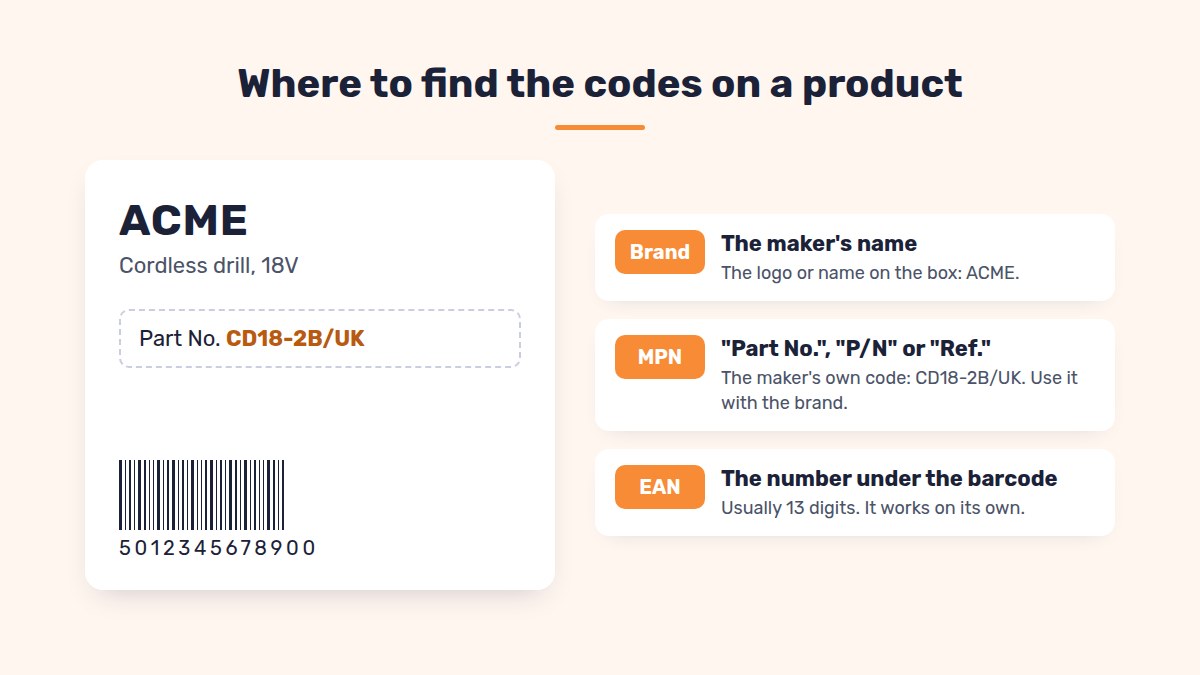
Start with the item in your hand. Most codes are printed on it.
- Look at the barcode. The digits under it are the EAN, usually 13 of them. Small packs sometimes have a shorter 8-digit EAN.
- Look for “MPN”, “Part No.”, “P/N”, “Model No.” or “Ref.” on the box or label. Electrical items often have it on a sticker underneath.
- Check the maker’s website. Search the product name. The part number is usually on the product page or the spec sheet.
- Check your supplier’s invoice or spreadsheet. Wholesale lists often have an EAN and MPN column.
- For car parts, look on the part itself. The number is often stamped into the metal or plastic.
Does an EAN starting with 50 mean “made in the UK”? No. Numbers starting 500–509 come from GS1 UK, the barcode body. They show where the company registered, not where the product was made.
Model number or MPN? Sometimes they’re the same. Sometimes the MPN is longer, with a code for the colour or the region. If both are shown, use the full part number as the MPN.
Never make a number up. eBay says to use only identifiers that match your exact product. A close match can mislead buyers.
When can you use “Does not apply”?
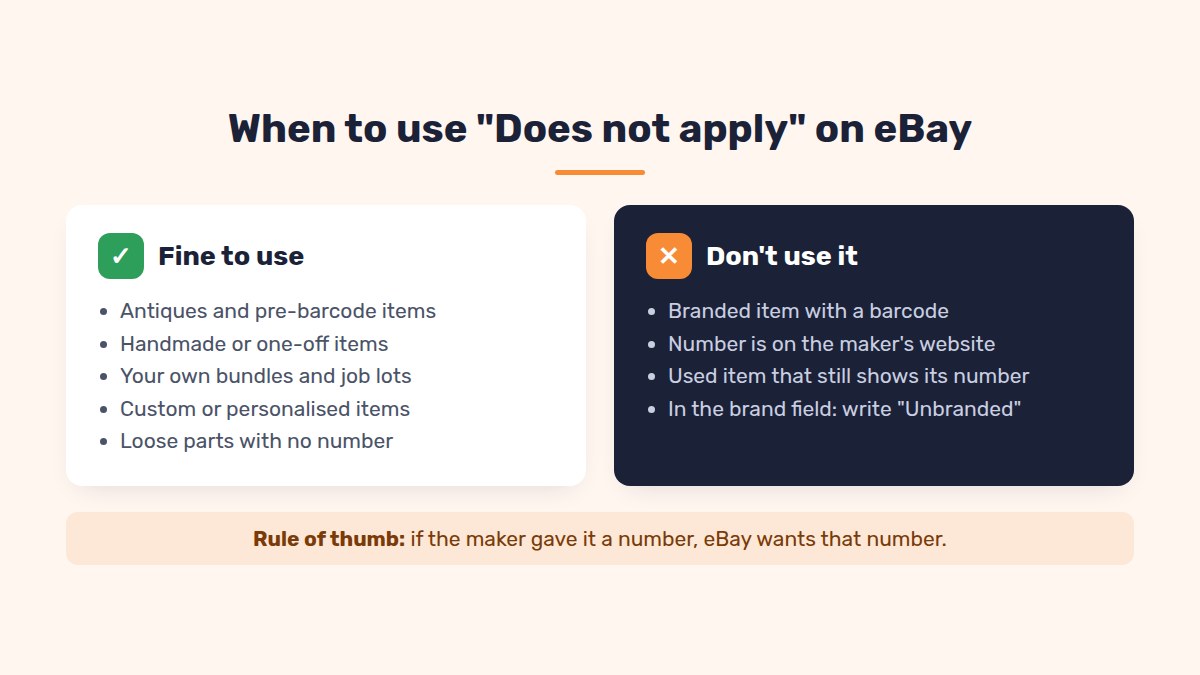
“Does not apply” is the wording eBay UK uses when an item has no identifier. eBay’s own example is antiques.
It’s fine for:
- Antiques and old items made before barcodes.
- Handmade or one-off items you made yourself.
- Your own bundles or job lots of mixed items.
- Custom or personalised items.
- Loose parts with no number anywhere on them.
It’s not fine for:
- A branded product with a barcode on the box.
- An item where the number is easy to find on the maker’s website.
- Your brand field, when the item has no brand. Write “Unbranded” instead.
These are examples, not automatic exemptions. If the maker gave the item a number, use it, even if it’s used, customised or part of a bundle.
eBay’s listing rules are clear. You must not use “Does not apply”, “N/A” or “unbranded” for a required identifier when the manufacturer has supplied one. Breaking the rules can lead to a listing being removed, or limits on your account.
What about used items? Being used doesn’t remove the number. A used Sony camera still has its part number. If you can find it, add it.
Do identifiers really help your listing get found?
Yes. eBay says identifiers help buyers find your item and compare it with others.
Here’s what happens when you add them:
- eBay can match your item to its catalogue. It may then fill in details like the title and photo for you.
- Buyers searching for a code find you. Many buyers type a part number into search, especially for spares and car parts.
- Your item sits next to the same product from other sellers, so buyers can compare price and postage.
- Search engines can match your listing to the exact product, too.
eBay also asks sellers to go back and add identifiers to listings that used “Does not apply” by mistake.
Think of it this way: a missing MPN won’t stop a sale. But a correct one makes your listing easier to find.
Common mistakes with MPNs and EANs
- Typing the EAN in the MPN box. They’re different codes. The 13-digit barcode number goes in EAN.
- Putting “Does not apply” in the brand field. Use “Unbranded” for items with no brand.
- Copying the code from a similar product. A different colour or size often has a different MPN and EAN.
- Writing “See description” or “Brand new” as the brand. eBay doesn’t accept text like this as a brand.
- Using the seller’s SKU as the MPN. Your SKU is your own stock code. The MPN comes from the manufacturer.
- Forgetting variations. In a listing with sizes or colours, each one can have its own EAN or MPN.
How to add missing MPNs and EANs to many listings
Fixing one listing is easy. Open it, select Edit, and fill the brand, MPN and EAN in the item specifics. Item specifics are the brand, size and colour fields eBay asks for.
Fixing hundreds is harder. One seller asked how to add MPNs to all their listings. They said “there seems to be no bulk way of doing this”.
On eBay, you have three options:
- Bulk edit in Seller Hub. In Active listings, select your listings and edit their item specifics together. It works best when many listings share the same value, like the brand.
- Download the missing item specifics. In Active listings, choose Download – Missing required or recommended item specifics. You get a file of listings with gaps. Fill them in, save the file as CSV, then choose Upload – Item specifics file.
- Seller Hub Reports upload. Download your listings with the right template, add the codes, then upload the file. Each listing gets its own MPN and EAN. Getting errors? See our guide to eBay CSV upload errors.
Its item specifics optimizer shows your active listings for one eBay category in a grid. Each column is an item specific, marked required or recommended. You type the MPN on each row, or set the same brand for every row in one go. Then you save all the rows together.
Already filling in other fields, like manufacturer details for GPSR? Our guide to eBay GPSR shows how to do that in bulk, too.
FAQ
What does MPN mean on eBay?+
MPN means Manufacturer Part Number. It’s the code the maker gives one exact product. eBay uses it with the brand to identify your item.
Is MPN the same as EAN?+
No. The EAN is the 13-digit number under the barcode. The MPN is the maker’s own part number, often letters and numbers.
What is an EAN on eBay?+
An EAN is the number under a product’s barcode, usually 13 digits. It’s the most common product identifier in the UK. eBay can match your item with the EAN alone.
What is a UPC on eBay?+
A UPC is the 12-digit barcode number used on products made for the US market. If you sell a US-made item, its UPC goes in the UPC field.
What is a product identifier on eBay?+
It’s a code the manufacturer gives a product, like an MPN, EAN, UPC or ISBN. eBay uses it to match your listing to the right product and help buyers find it.
Do I have to fill in the MPN on eBay?+
It depends on the category and the item. eBay says identifiers are required in most categories. Check the item specifics section of the listing form: it shows which fields are required for your item.
What do I put for MPN if there isn’t one?+
Choose “Does not apply”. Only do this when the item really has no MPN, like an antique or a handmade piece.
What do I put as the brand if there’s no brand?+
Write “Unbranded”. Don’t use “Does not apply” or “N/A” for the brand.
Conclusion
An MPN is the maker’s part number. Together with the brand, or with an EAN, it tells eBay exactly what you’re selling.
Look on the box, the label and the maker’s website first. Use “Does not apply” only when there’s really no number. Use “Unbranded” when there’s no brand.
Adding item specifics to hundreds of listings?
SellSetGo shows the item specifics eBay wants for each category in one grid, so you can fill brand and MPN on many listings and save them together.
Start your 15-day free trialBook a free demo